For employers
Review candidates
See the candidates agencies put forward to your job and move them through hiring.
Agencies put their candidates forward to your job once it is live. You see only the people an agency put forward — nobody else.
See the candidates
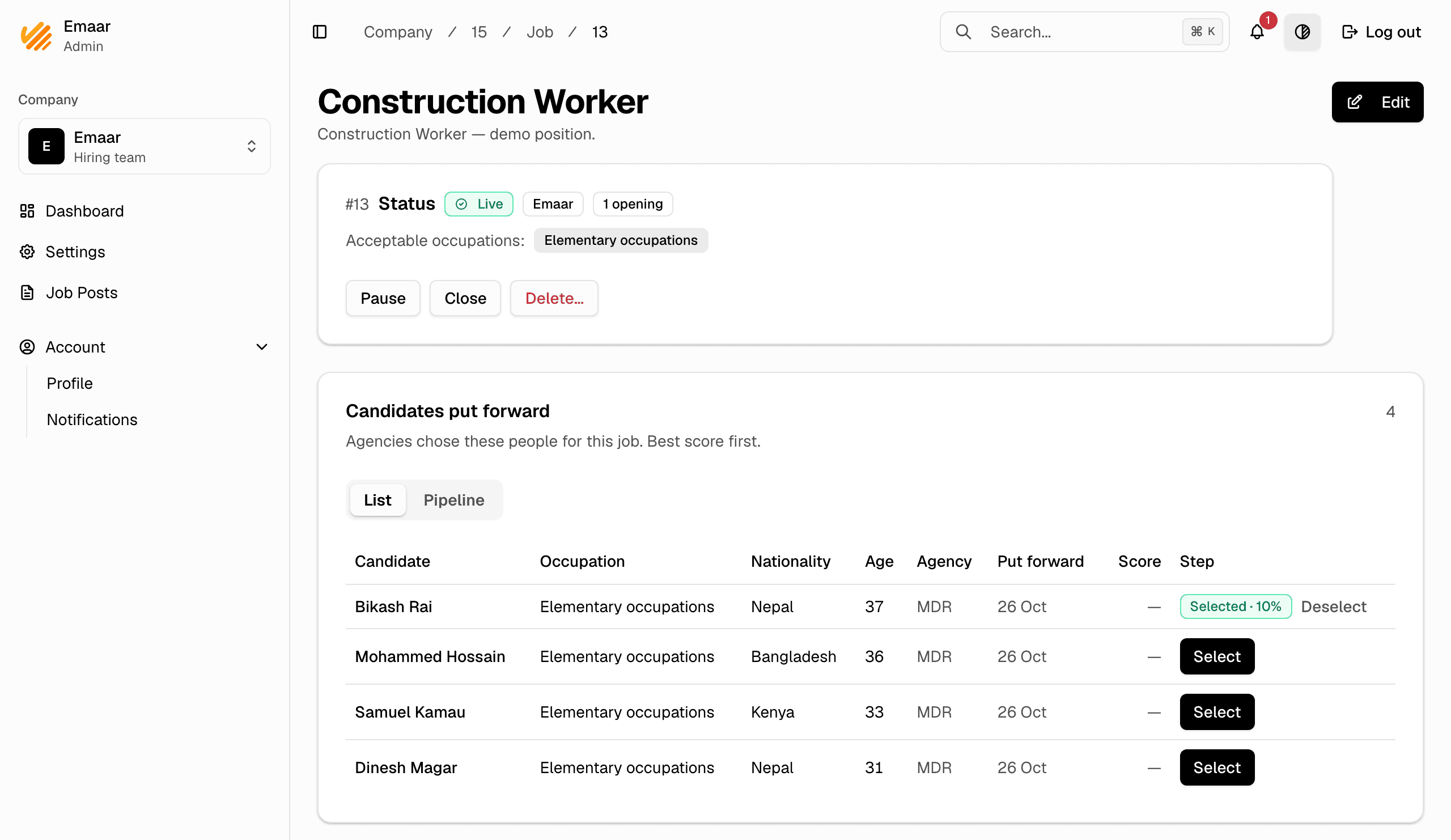
- In the company dashboard, go to Job Posts and open the job.
- The list shows everyone put forward, with their agency, score and step.
- Select the people you want to hire. Their agency then confirms they are available, and you move them on: interview, onboarding, hired.
Withdrawn candidates
When a candidate is taken back, you see one line: who withdrew them, when, the step they had reached and the reason. If MHive removed their agency from the job, the line says so. Their profile is no longer open to you for that job.
Candidate profiles and privacy
You can open the profile of anyone put forward to your job. The profile shows what you need to judge the fit. Private identity details, such as the passport number, are never shown to employers. Their documents are shown only once you select them.